

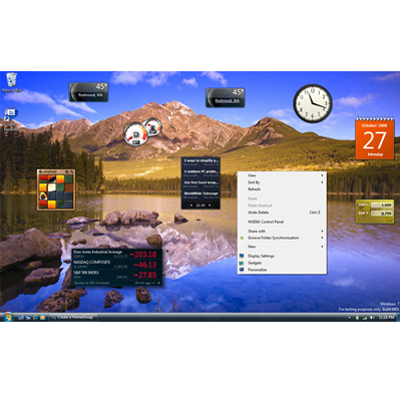
 Windows Vista was a huge disappointment in many people’s eyes, but Windows 7, expected sometime before the end of the year, promises to be much better. Whether it is the new features, or the less taxing system requirements, many people will breathe a huge sigh of relief that they can finally upgrade from XP with confidence.
Windows 7 is what Windows Vista should have been, but then again, Microsoft seem to have a history of releasing “latest technology” before it actually works properly. Maybe Billy Gates has set the bar too high, or his people believe they can achieve far greater things than they are actually capable of.
Whatever, Microsoft is cheerfully explicit about 7 killing Vista. At PDC, the head of Windows performance Gabriel Aul laid it out simply in a presentation entitled “Raising the Bar”:
• If an application or device runs on Vista, it should run on Win 7.
• If a system runs Windows Vista, should run Windows 7 even faster.
• Notebooks should get better battery life in Windows 7.
• Windows 7 will be more reliable than Vista SP1 from Day 1.
Windows 7 is more usable thanks to snazzy elements like peek through, a whole new taskbar and just common sense simplifications. Microsoft admirably pulls an Apple here, in that its next release of Windows will run even faster than the previous one, an unprecedented feat for Microsoft.
That’s because it’s a whole lot smarter about taking care of what’s going on in the background while you’re gaping at some new UI element that’s both pretty and useful. For instance, Vista’s window memory manager devotes the same amount of RAM to every window you have open: No matter how many windows are open, it acts like every one of them is visible and full screen size, even if you had them minimised or in the background. This ate up a ton of resources, especially if you’re like us and leave a billion windows open. Windows 7’s window memory manager doesn’t do that. Only the visible windows use video resources now. That means you can actually run Windows 7 with 1GB of RAM, unlike Vista, where having anything less than 2GB is pushing the limit.
Windows 7 is also way more brainy when it comes to crashy apps and errors, in a couple of different ways. Probably the most impressive sounding, though we’ll have to see how well it works in real life, is application crash resiliency. If an app crashes more than once, Windows 7 learns how it should run the app to avoid that particular train wreck. Also, error reports are actually useful. The Problem Steps Recorder watches what you do to trip an error, and it generates a useful, detailed error report in a language that actually resembles English! Device drivers are sandboxed, so nastiness from one cruddy set won’t infect another. Having learned its lesson, Microsoft is working with hardware makers to deliver all updated drivers through Windows Update instead of having to go to numerous maker’s websites.
None of Windows 7’s awesomeness matters, though, if all that rock is too much for your notebook’s battery to handle. Vista’s power management was definitely better than XP’s, and Windows 7’s is remarkably better still. Part of it is just that whole smarter background management, which for battery life does things like dial down the processor more often, use less juice to play a standard def DVD, automatically turn off your Ethernet adapter, common sense stuff like that. But it doesn’t just do all this fancy energy-saving stuff behind your back. Windows 7 is capable of delivering a battery efficiency report that breaks down in detail what’s chomping on your battery—power-slurping hardware.
All of this reflects a new mindset about the overall user experience that seems like it just got left on Vista’s cutting room floor, for whatever reason. Vista was just going through the motions of a new OS. If Microsoft actually delivers on what they’ve shown and are promising for Windows 7—and all signs seem to point that way—it’ll actually have the heart and soul of one, even if it’s wearing the same brand of clothes.
Discover more from Craig Hill
Subscribe to get the latest posts sent to your email.
 Craig Hill
By the way, your links to the Hattie McDaniel’s story, Muryphy’s Law 05, and Branch Davidian story are not working.
Craig, I worked for a computer company for years; both on the hardware side and the software testing side. Believe me when I say that an error on the hardware side was a disaster for us. It meant that we had to not only find the error and determine how to fix it but we had to cut new hardware which was not a quick process.
On the software side we tested on three levels; basic components, comonent interfaces, and overall systems testing. I can understand something sneaking through all that testing but for it to be a disaster and not acceptable to the customer the errors had to be many and in the main paths.
To have such customer dissatisfaction is a result of not properly testing (bad boys and girls in the test departments) OR management pushing so hard on the developers and testers that the workers just gave up and said “SHIP IT.”
This often happens when a product is not ready and management is about to lose its position: desperate people do desperate things.
I know of one company that shipped out bricks in boxes so that everyone would think product was being distributed and ready for installation at the customers office. (I believe that CEO had some jail time looking him in the face.)
T is a problem with many programmers today – laziness in testing. That is why it is outsourced to China and India. they don’t “cut corners” like wester programmers and testers.
I was a programmer back in the “old days” using COBOL and PL/1 (amongst others). last year, I was training Symantec programmers in China. You can certainly see the difference in the Chinese programmers efficiency and dedication to following all the steps in the process without question 🙂